- Home Page /
- Software /
- Operating Systems /
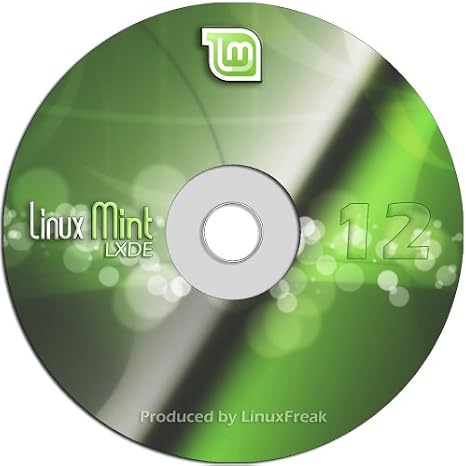
- Replace your Windows XP with Linux Mint 12 LXDE Edition - Works on Older Computers!
0 ratings


Item #:
10776238
Replace your Windows XP with Linux Mint 12 LXDE Edition - Works on Older Computers!
66% of respondents would recommend this to a friend
Item #:
10776238
ZMW 723
Price Details
Excluding Shipping & Custom charges ( Shipping and custom charges will be calculated on checkout )
*All items will import from US
0 ratings
Write a review
In stock
 Imported from USA store
QTY:
Only 12 items left in stock.
Order now and get it around Monday, September 28
Secured transaction
Ubuy works hard to protect your security and privacy. Our advanced payment security system ensures confidentiality by encrypting your information during transmission using AES (Advanced Encryption Standards) and SSL (Secure Socket Layer) protocols. Your payment details are 100% secure as we do not share your payment details with third party sellers.
Our Top Logistics Partners


Fast
Shipping

Free
Return*

Secure Packaging

100% Original Products

PCI DSS Compliance

ISO 27001 Certified




Note: Step Down Voltage Transformer required for using electronics products of US store (110-120). Recommended power converters Buy Now.


What Stands Out
Lightweight Interface
Linux Mint 12 LXDE provides a fast and efficient user experience, perfect for older hardware, ensuring smooth performance without the bloat of heavier operating systems.
User-Friendly Design
Designed for ease of use, this distribution offers a familiar desktop environment, making it simple for Windows XP users to transition seamlessly without a steep learning curve.
Improved Security
With regular updates and a robust security model, Linux Mint 12 LXDE ensures that your older computer remains secure against vulnerabilities, offering peace of mind to users upgrading from outdated systems.
Product Details
| Item Weight | 2.5 ounces (70.88 grams) |
| Date First Available | June 10, 2012 |
| Manufacturer | LinuxFreak |
Who Should Buy?

-
Older Computer Users
Ideal for individuals using outdated hardware that cannot handle newer operating systems efficiently.
-
Budget-Conscious Users
Perfect for users seeking a free, cost-effective alternative to Windows with full functionality and support.
-
Linux Beginners
Great for those new to Linux, featuring user-friendly interface and extensive community support for beginners.

-
Gamers
Not suitable for gamers needing the latest graphics and gaming performance that newer operating systems provide.
Product Description
Have any Query? Chat with us
Customer Questions & Answers
-
Question:
What is Linux Mint 12 LXDE Edition?
Answer: Linux Mint 12 LXDE Edition is a lightweight Linux distribution that provides a user-friendly interface, suitable for older computers. It focuses on performance and simplicity, making it an ideal alternative to the outdated Windows XP. This edition features the LXDE desktop environment, which consumes fewer resources and ensures a smoother experience on computers with limited hardware capabilities. -
Question:
Can I run Linux Mint 12 LXDE on very old hardware?
Answer: Yes, Linux Mint 12 LXDE is specifically designed to run on older hardware. Its lightweight nature allows it to function efficiently even with low RAM and older processors, unlike heavier operating systems. Users with computers, typically those with 512MB of RAM or less, can expect a responsive experience, making it perfect for revitalizing outdated machines. -
Question:
Is Linux Mint 12 LXDE Edition suitable for beginners?
Answer: Absolutely! Linux Mint 12 LXDE is known for its user-friendly interface that mimics traditional desktop layouts. This ease of use, combined with extensive community support and documentation, makes it an excellent choice for first-time Linux users transitioning from Windows XP. Users will find familiar applications and settings, allowing for a smoother adjustment period. -
Question:
What applications come pre-installed with Linux Mint 12 LXDE?
Answer: Linux Mint 12 LXDE comes pre-installed with essential applications such as the Firefox web browser, LibreOffice suite, GIMP for image editing, and media players for audio and video. These applications cater to everyday tasks, enabling users to browse the internet, edit documents, or manage multimedia without needing to install additional software immediately. -
Question:
How can I install Linux Mint 12 LXDE on my computer?
Answer: Installing Linux Mint 12 LXDE can be easily done using a bootable USB drive or DVD. First, you'll need to download the ISO file from the official Linux Mint website. Then, use a tool to create the bootable media and reboot your computer to start the installation process. Follow the on-screen instructions, and you’ll have a fresh operating system in no time, perfect for older machines. -
Question:
Can I replace Windows XP with Linux Mint 12 LXDE?
Answer: Yes, you can replace Windows XP with Linux Mint 12 LXDE. During the installation process, you can choose to wipe the existing operating system and replace it with Linux Mint, ensuring all files from Windows XP are removed. This transition not only improves performance but also provides users with a secure and updated environment, bringing your old computer back to life. -
Question:
Is support available for Linux Mint 12 LXDE users?
Answer: Yes, Linux Mint has a strong community along with official forums where users can seek assistance and share experiences. Online documentation is also available, empowering users to troubleshoot issues or learn about new features. Whether you're a beginner or an experienced user, there’s ample support for anyone needing help with Linux Mint 12 LXDE. -
Question:
Is Linux Mint 12 LXDE secure to use?
Answer: Yes, Linux Mint 12 LXDE is built with security in mind. It receives regular updates that address vulnerabilities, and its open-source nature allows for community scrutiny, enhancing security. Users can enjoy a safer computing experience compared to the outdated Windows XP, which no longer receives security updates, helping you keep your personal data more secure. -
Question:
What are the system requirements for installing Linux Mint 12 LXDE?
Answer: The system requirements for Linux Mint 12 LXDE are minimal compared to other operating systems. You will need at least 512MB of RAM and a 1GHz processor. A recommended amount would be 1GB of RAM for better performance. This makes it perfect for older computers that struggle with more demanding systems, allowing you to utilize your current hardware effectively. -
Question:
Where can I buy Replace your Windows XP with Linux Mint 12 LXDE Edition?
Answer: You can purchase Linux Mint 12 LXDE Edition from Ubuy in Zambia. Ubuy offers a reliable platform where you can find various tech products, including software like Linux Mint, tailored for consumers looking to enhance their computing experience. Shopping on Ubuy ensures you're accessing the official product along with convenient service.
LinuxFreak Operating Systems Editorial Review
No editorial reviews found
Customer Reviews & Ratings
10 customers ratings
-
5 Star
37%
-
4 Star
0%
-
3 Star
17%
-
2 Star
0%
-
1 Star
46%
Review this product
Share your thoughts with other customers
Platform Trust & Buyer Confidence

JK
Jasmin
Verified buyer
“Great products and very good service: very easy and very fast international delivery.”
9 September 2026 · via Trustpilot
AG
Anke
Verified buyer
“Wonderful online shopping experience, smooth transaction from the start. Payment method works conveniently and delivery is unexpectedly fast and reliable. You go the extra mile for service. What makes this even more amazing, you deliver to Namibia. I will remain a happy Ubuy customer and will increase my purchases for sure! Thank you!”
10 September 2026 · via Trustpilot
H
Hazel
Verified buyer
“Very easy to find the products what you need, and so fast delivery, that’s why I highly recommended to others costumers to used ubuy.”
10 September 2026 · via Trustpilot
O
Opaleye
Verified buyer
“I received exactly what I ordered I was skeptical about your site because that was my first time to order. But the order came timely and neatly packaged. I was not disappointed. Thank you.”
11 September 2026 · via Trustpilot
AC
Adele
Verified buyer
“Easy to find and order what you want on the website. Delivery is quick to the UK”
8 September 2026 · via Trustpilot
Secure Checkout
Global Delivery
Easy Returns
Genuine Products
Product Price History
Important information
- Limitations : For products shipped internationally, please note that any manufacturer warranty may not be valid; manufacturer service options may not be available; product manuals, instructions, and safety warnings may not be in destination country languages; the products (and accompanying materials) may not be designed in accordance with destination country standards, specifications, and labeling requirements; and the products may not conform to destination country voltage and other electrical standards (requiring use of an adapter or converter if appropriate). The recipient is responsible for assuring that the product can be lawfully imported to the destination country. When ordering from Ubuy or its affiliates, the recipient is the importer of record and must comply with all laws and regulations of the destination country.
- Not all the products listed on Ubuy are for sale, as Ubuy is a global search engine. Products are subject to export/trade regulations.
ZMW 723
Order now and get it around Monday, September 28
This item is not restrict in my country.(Please click on above link if this item is not restrict in your country, So our team will review and allow.)
QTY:
Only 12 items left in stock.
Secured transaction
PCI DSS compliant and ISO 27001:2022 certified, with encrypted payments and full buyer protection on every order.
Our Top Logistics Partners
Fastest cross-border delivery
Ubuy Assurance
Experience worry-free shopping with 100% original products, PCI DSS-compliant payment security, ISO 27001-certified data protection, the fastest cross-border delivery, free returns *, and secure packaging on every order.